EOS Interfaces
Custom Invites
Custom Invites send an invite with your own text payload to other players, for example the id of a lobby, a party or a server address. Unlike lobby and session invites, EOS does not join anything for you: the receiver reads the payload and joins in your own code.
Requirements
- A logged in user with a Product User Id (Connect login), see Authentication
- The Custom Invites feature allowed in your client policy
Common Nodes
| Node | Use |
|---|---|
EOS_CustomInvites_SetCustomInvite | Sets the payload that the next invites carry |
EOS_CustomInvites_SendCustomInvite | Sends the invite to one or more Product User Ids |
EOS_CustomInvites_AddNotifyCustomInviteReceived | Called when an invite is received |
EOS_CustomInvites_AddNotifyCustomInviteAccepted | Called when the player accepts an invite in the overlay or platform UI |
EOS_CustomInvites_AddNotifyCustomInviteRejected | Called when the player rejects an invite |
EOS_CustomInvites_FinalizeInvite | Tells EOS that you have handled an accepted invite |
EOS_CustomInvites_SendRequestToJoin | Asks another player to invite you |
EOS_CustomInvites_AddNotifyRequestToJoinReceived | Called when another player asks to join you |
EOS_CustomInvites_AcceptRequestToJoin, EOS_CustomInvites_RejectRequestToJoin | Answers a request to join |
Example
Sending an invite
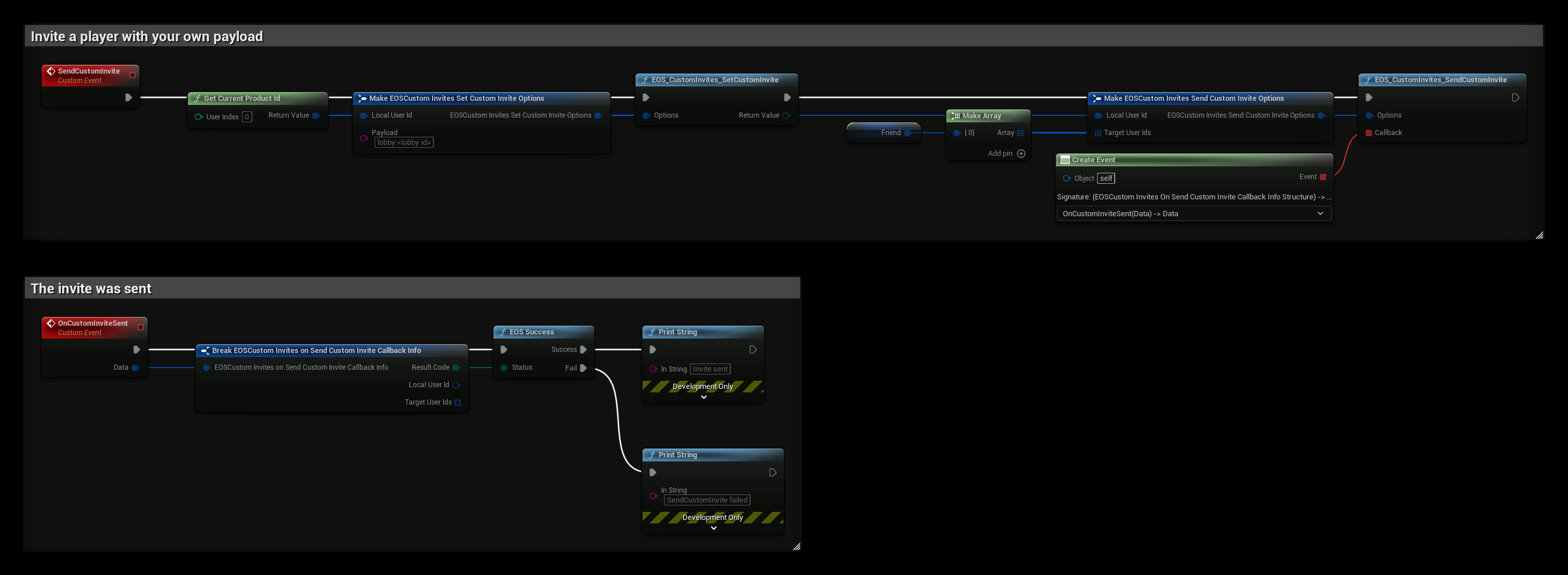
The SendCustomInvite event invites the player in Friend:
- EOS_CustomInvites_SetCustomInvite sets the Payload. Use a format your game can read back, for example
lobby:<lobby id>. The payload stays set, so you only need to call this again when it changes. - EOS_CustomInvites_SendCustomInvite sends the invite to every id in Target User Ids.
- OnCustomInviteSent is called with the result.
Receiving and accepting invites
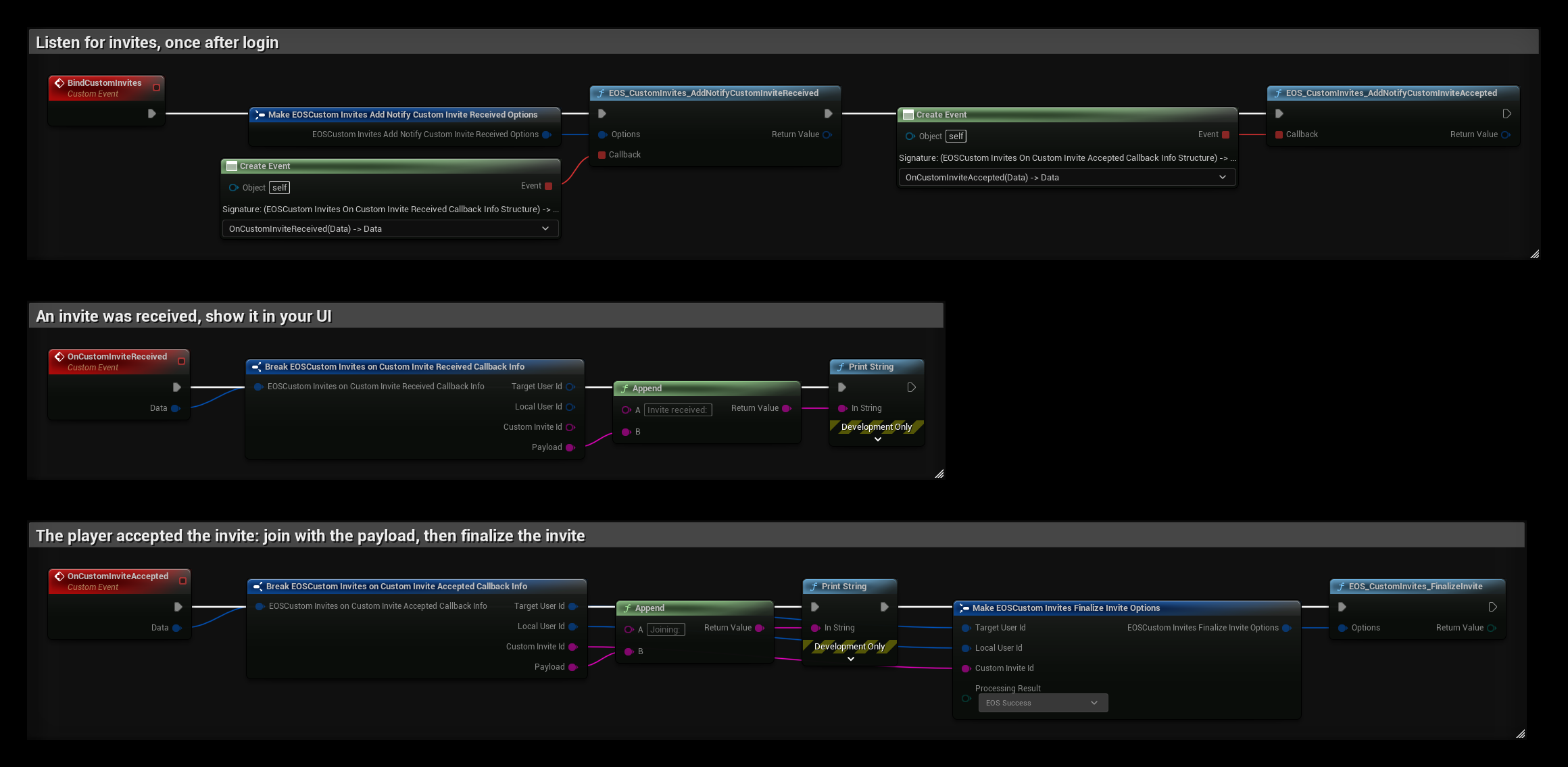
Call BindCustomInvites once after login, for example from the Game Instance:
- OnCustomInviteReceived is called for every invite. Payload is the text the sender set, and Target User Id is the sender. Show the invite in your UI, and join with the payload when the player accepts it there.
- OnCustomInviteAccepted is called when the player accepts the invite outside your UI, for example in the EOS overlay or a console's system UI. Join with the Payload, then call EOS_CustomInvites_FinalizeInvite with the same ids and Custom Invite Id. Set Processing Result to EOS Success when the join worked, or to an error when it did not.
Keep the notification ids if you want to remove the notifications later with the matching RemoveNotify nodes.