EOS Interfaces
Text Chat
EOSCore has simple text chat nodes that send messages straight to another player over EOS P2P. They don't need a server, a session or a lobby, only the Product User Id of the other player. This is an EOSCore feature, not an EOS interface, so there is no client policy setting for it.
For voice chat, see Voice Chat.
Requirements
- A logged in user with a Product User Id (Connect login)
- The P2P feature allowed in your client policy
Nodes
| Node | Use |
|---|---|
Listen for Chat Messages | Starts receiving messages for a local user, and calls the callback for each message |
Send Chat Message | Sends a message to another player |
Clear All Chat Listeners | Stops receiving messages |
Example
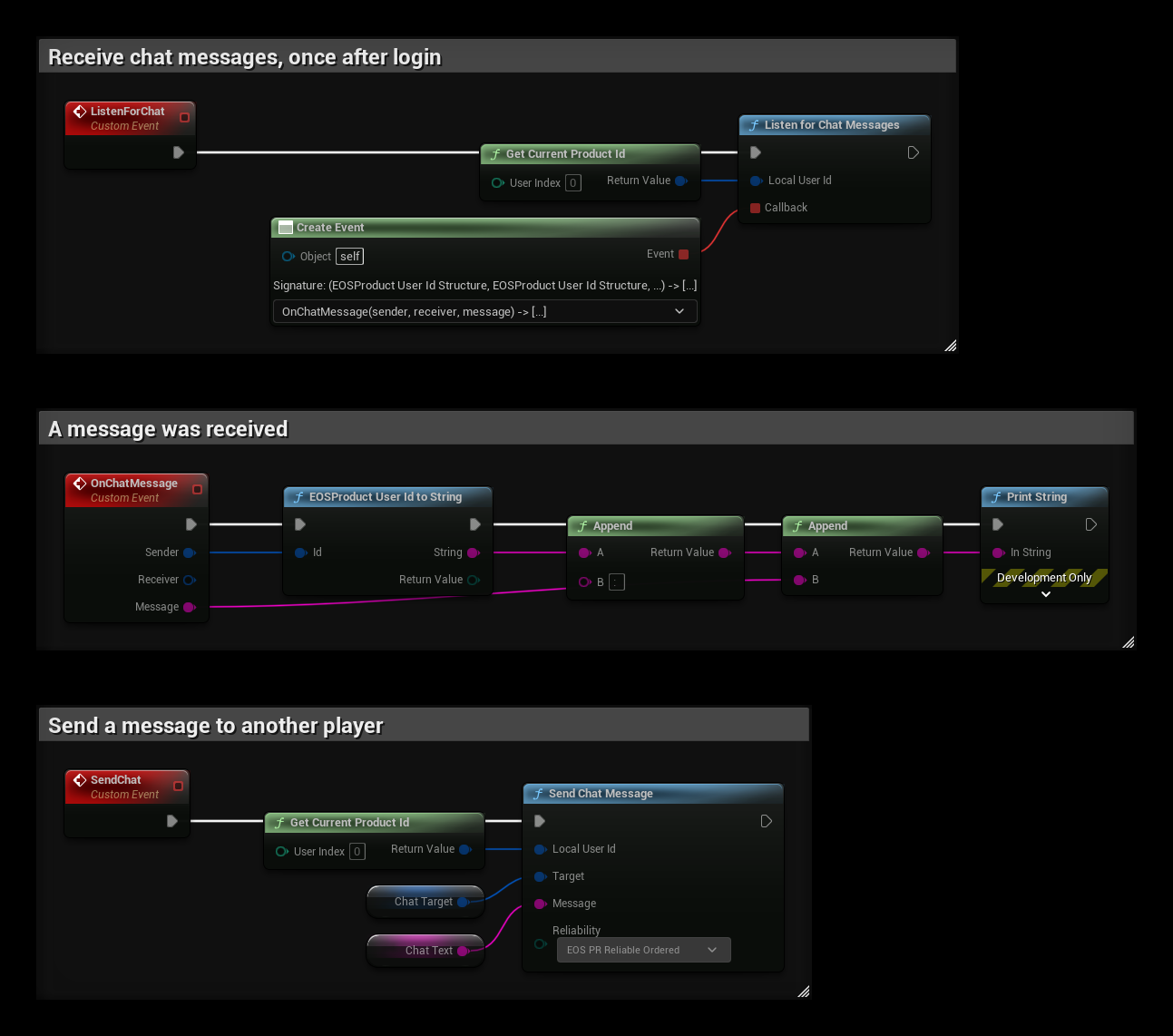
- Call ListenForChat once after login. Listen for Chat Messages accepts chat connections from other players and calls OnChatMessage for every message, with the Sender, the Receiver and the Message. Both players must listen to receive messages.
- The SendChat event sends Chat Text to Chat Target. Use EOS PR Reliable Ordered for chat, so messages arrive and in the right order.
Notes
- The messages use the P2P socket
CHAT, so they don't interfere with your own P2P traffic or the EOSCore NetDriver. - A message is sent as one P2P packet, so keep messages short (a P2P packet holds up to 1170 bytes).
- The sender's id is a Product User Id. To show a name, look it up with the Connect or User Info interface, see Player Name.