EOS Interfaces
Title File
warning
Requires EOSCore 2.2.0 and later.
The Online Subsystem implements IOnlineTitleFile with EOS Title Storage. Title Storage files are uploaded by you in the Developer Portal and every player can read them, for example patch notes, news or game configuration.
Use it through the Online Subsystem with GetTitleFileInterface(). There are no Blueprint nodes for the Title File interface. In Blueprint, use the EOSCore > Title Storage functions instead, see Title Storage and Player Data Storage.
Requirements
- Title Storage is set up for your product in the Developer Portal, and the files are uploaded under Game Services > Title Storage with at least one tag.
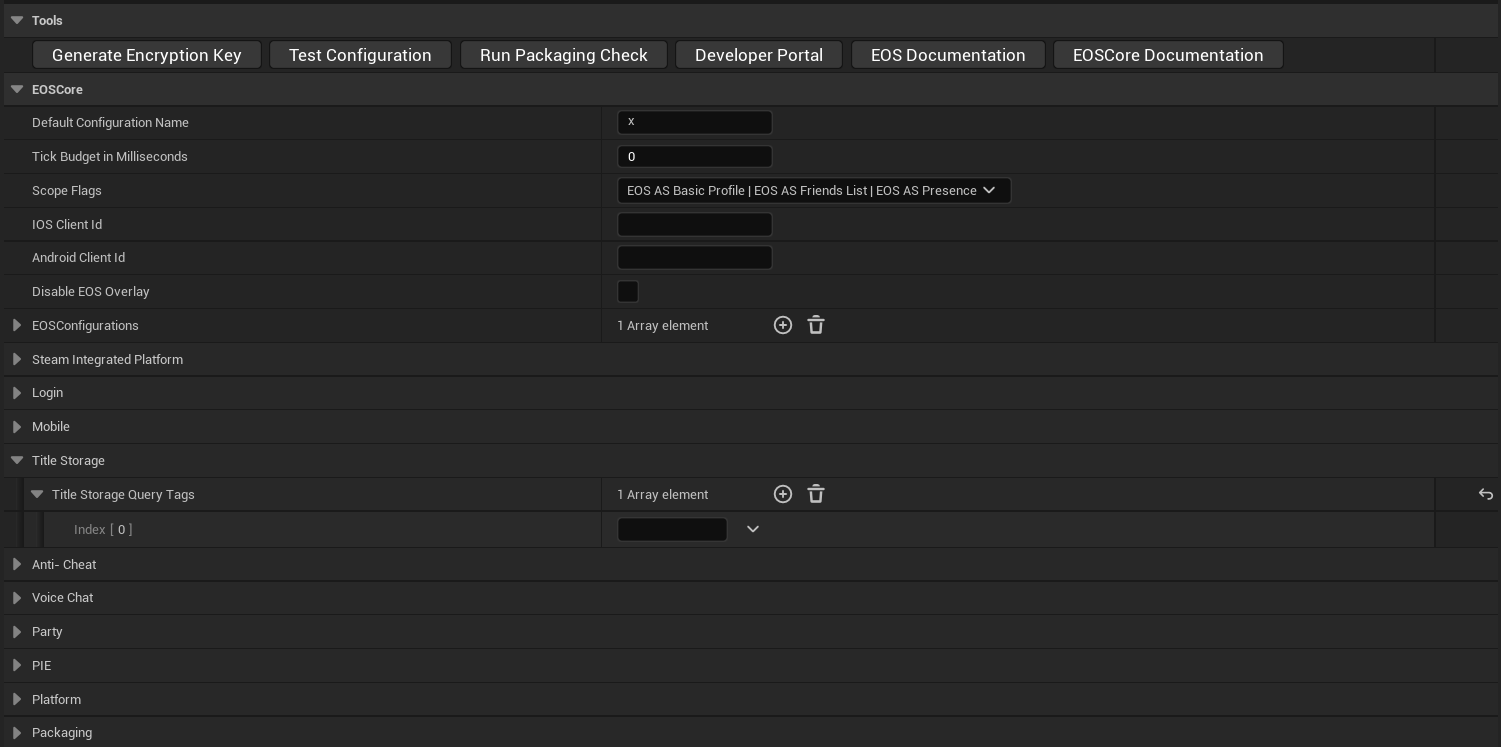
- Title Storage Query Tags in Project Settings lists the tags to search for. EOS cannot list Title Storage files without a tag, so EnumerateFiles fails while the list is empty. See Project Settings.
- The player is logged in with a Product User ID (Connect login). The interface uses the first logged in local user.
Functions
| Title File function | EOS function | Callback |
|---|---|---|
| EnumerateFiles | EOS_TitleStorage_QueryFileList with the Title Storage Query Tags | OnEnumerateFilesComplete |
| GetFileList | Reads the list from the last enumeration | None |
| ReadFile | EOS_TitleStorage_ReadFile, read in chunks of 64 KB | OnReadFileProgress, then OnReadFileComplete |
| GetFileContents | Returns the bytes of a file that was read | None |
| ClearFiles, ClearFile | Removes read files from memory | None |
| DeleteCachedFiles | Removes read files from memory and calls EOS_TitleStorage_DeleteCache | None |
The file headers from GetFileList have the file name, the size of the unencrypted file and the MD5 hash (HashType is MD5).
Typical flow
- Call EnumerateFiles and wait for OnEnumerateFilesComplete.
- Call GetFileList to get the file names.
- Call ReadFile for a file and wait for OnReadFileComplete, then call GetFileContents to get the bytes.
#include "OnlineSubsystem.h"
#include "OnlineSubsystemUtils.h"
#include "Interfaces/OnlineTitleFileInterface.h"

void AMyPlayerController::ReadNews()
{
	IOnlineSubsystem* Subsystem = Online::GetSubsystem(GetWorld(), TEXT("EOSCore"));
	IOnlineTitleFilePtr TitleFile = Subsystem ? Subsystem->GetTitleFileInterface() : nullptr;
	if (!TitleFile.IsValid())
	{
		return;
	}

	TitleFile->AddOnEnumerateFilesCompleteDelegate_Handle(FOnEnumerateFilesCompleteDelegate::CreateUObject(this, &AMyPlayerController::OnEnumerateFilesComplete));
	TitleFile->AddOnReadFileCompleteDelegate_Handle(FOnReadFileCompleteDelegate::CreateUObject(this, &AMyPlayerController::OnReadFileComplete));
	TitleFile->EnumerateFiles();
}

void AMyPlayerController::OnEnumerateFilesComplete(bool bWasSuccessful, const FString& Error)
{
	IOnlineTitleFilePtr TitleFile = Online::GetSubsystem(GetWorld(), TEXT("EOSCore"))->GetTitleFileInterface();

	TArray<FCloudFileHeader> Files;
	TitleFile->GetFileList(Files);

	for (const FCloudFileHeader& File : Files)
	{
		TitleFile->ReadFile(File.FileName);
	}
}

void AMyPlayerController::OnReadFileComplete(bool bWasSuccessful, const FString& FileName)
{
	TArray<uint8> Contents;
	if (bWasSuccessful && Online::GetSubsystem(GetWorld(), TEXT("EOSCore"))->GetTitleFileInterface()->GetFileContents(FileName, Contents))
	{
		// Use the file
	}
}
Limits
- EnumerateFiles returns false while an enumeration is still running. A Page with a start and count only adds that part of the list to GetFileList. A page that starts at 0 replaces the list.
- File names must be 1 to 64 bytes in UTF-8. A longer name makes ReadFile return false and call OnReadFileComplete with false.
- ReadFile returns false when the same file is already being read.
- ClearFiles and ClearFile return false while a file is being read.
- The files are kept in memory. Read large files with the Title Storage Blueprint functions, which write the file to disk.