Easy Anti-Cheat Integration
Requires EOSCore 2.2.0 and later.
With Enable Anti-Cheat Integration, EOSCore runs Easy Anti-Cheat (EAC) over the normal game connection. You don't need to call the Anti-Cheat nodes yourself: the server registers every client, the EAC messages are sent over reliable RPCs, and clients that EAC removes or that never register are kicked.
To build the protection yourself with the Anti-Cheat nodes instead, see Anti-Cheat. Don't use both at the same time.
Requirements
- A client build protected with EAC and started through the EAC bootstrapper. Without it the client cannot start an EAC session, see the EOS Anti-Cheat documentation.
- The client is logged in with a Product User ID (Connect login) before it connects to the server. The client starts its EAC session when its player controller begins play, and does not try again later.
- The server uses the EOSCore Online Subsystem with an EOS configuration, so the Anti-Cheat Server interface is available.
- The player's UniqueNetId on the server is an EOSCore id. The server compares it with the Product User ID the client reports.
Settings
Turn the integration on in Project Settings > Game > EOSCore Plugin > Anti-Cheat. The client and the server need the same settings.
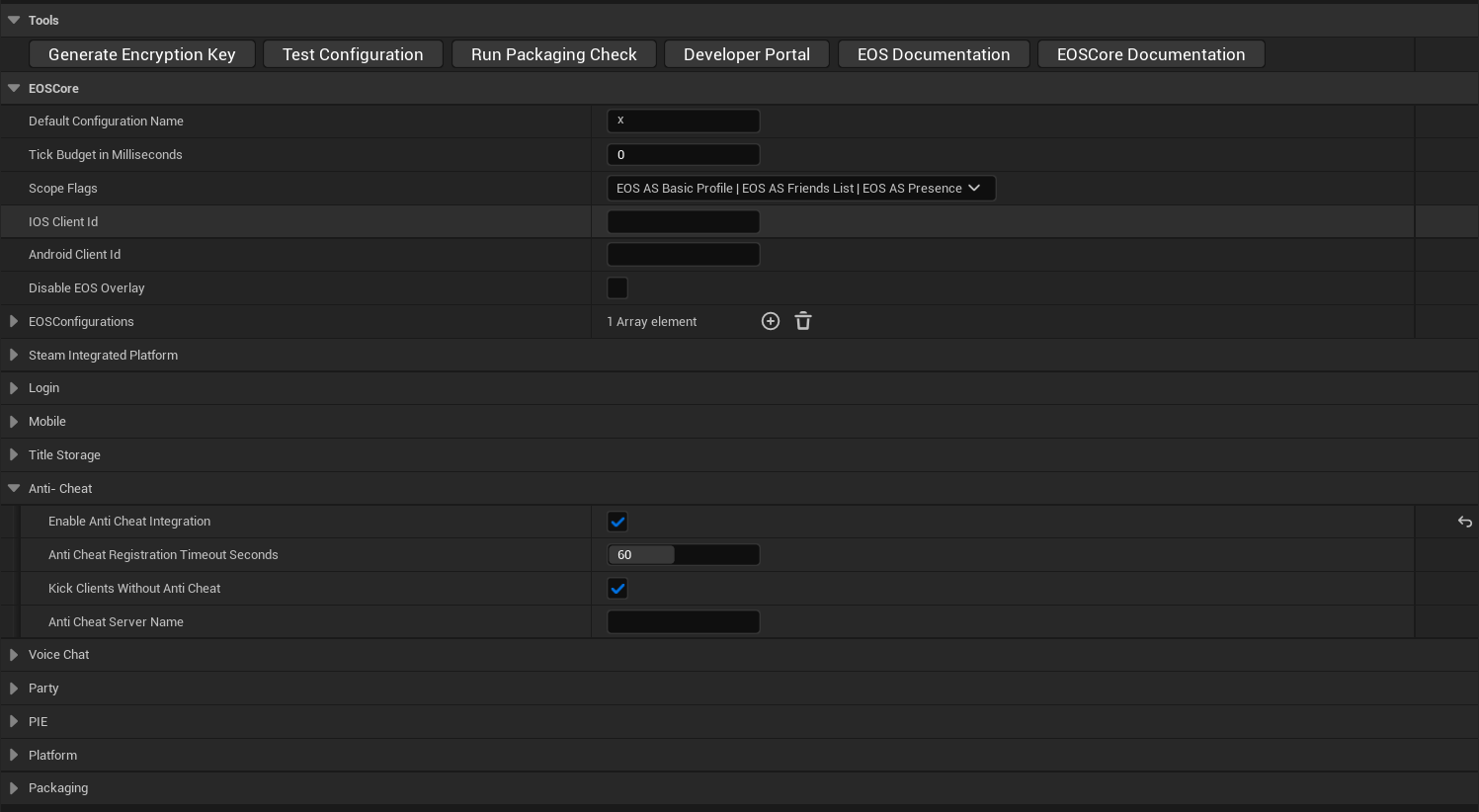
| Setting | Default | Description |
|---|---|---|
| Enable Anti-Cheat Integration | Off | Turns the integration on |
| Anti-Cheat Registration Timeout Seconds | 60 | Seconds a connected client has to start its EAC session and register. 10 to 120. Also passed to EAC as the register timeout |
| Kick Clients Without Anti-Cheat | On | Kicks clients that have not registered when the timeout ends, and clients whose Product User ID does not match their connection. Turn it off to only log these clients |
| Anti-Cheat Server Name | Empty | Server name reported to EAC. Empty uses the project name |
How it works
- When a remote player logs in (PostLogin), the server adds a EOSCore Anti Cheat Component (
UEOSCoreAntiCheatComponent) to the player controller, unless the player controller already has one. The component replicates to the owning client. - On the client, the component starts the EAC client session (
EOS_AntiCheatClient_BeginSessionin client-server mode) for the local player and sends its Product User ID and platform to the server. - The server checks that the Product User ID matches the player's UniqueNetId. It starts the EAC server session for the first client (
EOS_AntiCheatServer_BeginSession) and registers the client as a protected client (EOS_AntiCheatServer_RegisterClient). - EAC messages between client and server are relayed over reliable RPCs.
- When EAC asks the server to remove a player, the server calls On Client Removed and kicks the player with the reason
Easy Anti-Cheat: <details>. - When a player leaves, the client is unregistered. When the world ends, the server session ends.
If the client has not registered when Anti-Cheat Registration Timeout Seconds ends, the server kicks it with Easy Anti-Cheat registration timed out (when Kick Clients Without Anti-Cheat is on).
The host of a listen server is not protected. The host plays on the server itself, so it is not registered with EAC as a client. The remote clients are protected. Use a dedicated server for full protection.
Blueprint events
Client: On Integrity Violated
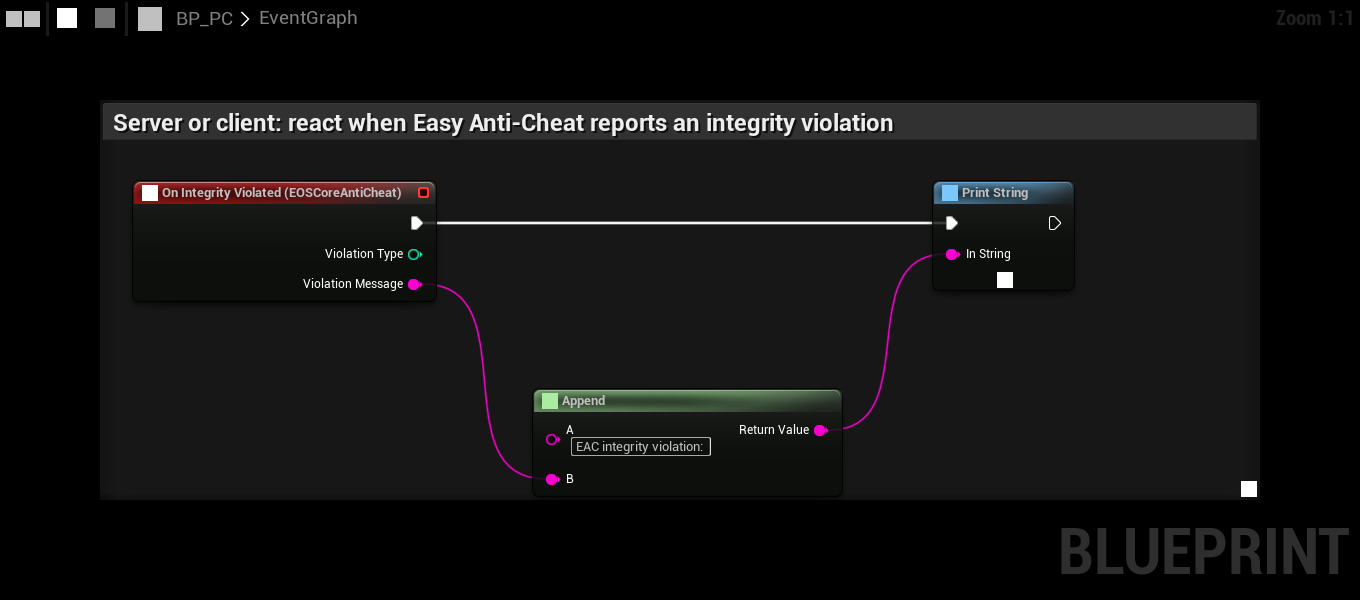
The component calls On Integrity Violated on the client when EAC reports that the game is not protected, for example when the game was not started through the bootstrapper or a file was changed. Violation Type is the EOS_EAntiCheatClientViolationType value and Violation Message the text from EAC. Use it to tell the player what is wrong.
The server adds the component at runtime, so bind the event in your PlayerController Blueprint: add the EOSCore Anti Cheat Component to the PlayerController yourself (the server then uses it instead of adding a new one), select it and add the On Integrity Violated event.
Is Registered With Anti Cheat on the component returns true once the server has registered the client. On the server it is true for a registered client, on the client it is true after the server has accepted the registration.
Server: On Client Removed
The EOSCore Anti Cheat Subsystem (UEOSCoreAntiCheatSubsystem) is a world subsystem. It only exists when Enable Anti-Cheat Integration is on. Its On Client Removed event is called on the server when EAC removes a player, before the player is kicked:
| Parameter | Description |
|---|---|
| Player Controller | The player that is removed |
| Reason Code | The EOS_EAntiCheatCommonClientActionReason value |
| Reason Details | Text from EAC, also used as the kick reason |
Bind it in your GameMode, for example to log the player or report a sanction:
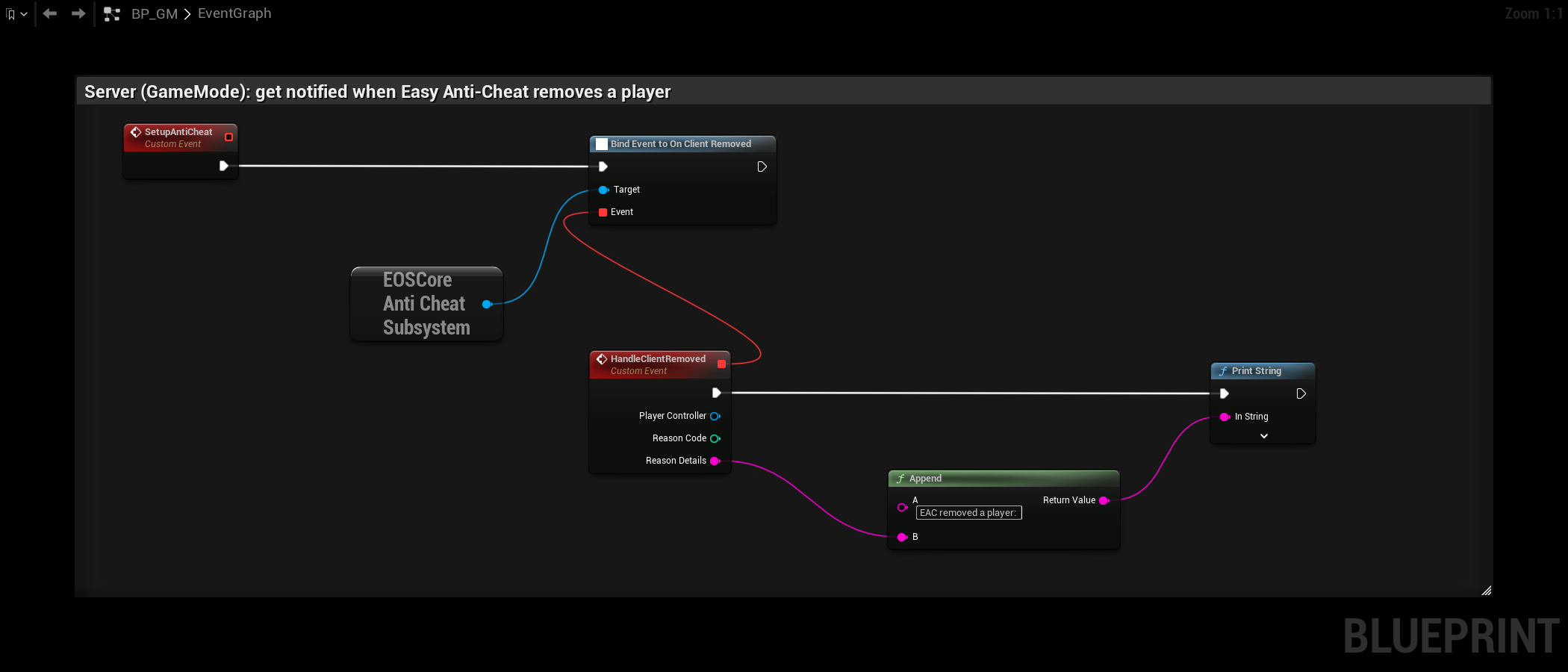
On Client Removed is not called for players kicked because of the registration timeout or a Product User ID mismatch. Those are logged as EOSCore AntiCheat: removing player.
Limits
- Only client-server mode. Peer-to-peer mode needs the Anti-Cheat nodes, see Anti-Cheat.
- The server session starts with gameplay data off.
- One protected local player per client. The client session uses the local player that owns the player controller.
- Clients are registered without a required system config. Use the Anti-Cheat nodes if you need Required System Config.